

Get Started in 3 Steps
Follow this guide to create your first roadmap and start planning your product.Step 1: Create Your Workspace
1
Open Wey
Navigate to wey.io and sign in or create an account.
2
Create a Workspace
A workspace is a container for all the items in your roadmap. Click New Workspace and give it a name (e.g., “My Product Roadmap”).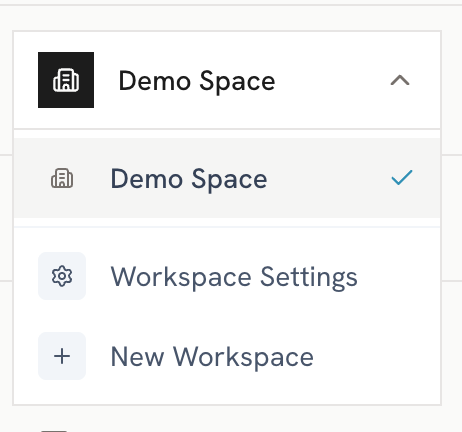
3
Choose Your Starting Point
You can either:
- Start with a blank roadmap
- Generate demo data to explore the features
Step 2: Add Your First Items
1
Create an Initiative
Click the + Add Item button and select Initiative. Give it a name and set the date range.
2
Add Child Items
Break down your initiative by adding Epics, Stories, or Tasks as children.
3
Set Details
Add descriptions, assign to product areas, and link to strategic priorities.
Step 3: Explore Views
Switch between views to see your roadmap from different perspectives:Timeline View
See items on a Gantt-style timeline grouped by product area or priority.
List View
View all items in a structured list with expand/collapse hierarchy.
Kanban View
Organize items in columns for status-based workflows.
Hierarchy View
Visualize parent-child relationships in a flow diagram.
Next Steps
Core Concepts
Understand the fundamentals of Wey.
Set Up Products
Organize items by product and product area.
Strategic Priorities
Align your roadmap to strategic goals.
Export & Share
Share your roadmap with stakeholders.