> ## Documentation Index
> Fetch the complete documentation index at: https://wey.io/docs/llms.txt
> Use this file to discover all available pages before exploring further.
# Quick Start
> Set up your first roadmap in minutes
## Get Started in 3 Steps
Follow this guide to create your first roadmap and start planning your product.
### Step 1: Create Your Workspace
Navigate to [wey.io](https://www.wey.io) and sign in or create an account.
A workspace is a container for all the items in your roadmap. Click **New Workspace** and give it a name (e.g., "My Product Roadmap").
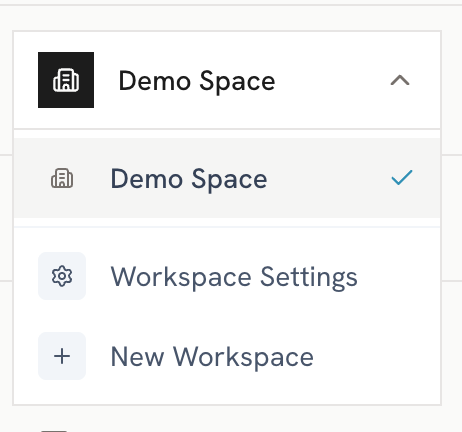 You can either:
* Start with a **blank roadmap**
* Generate **demo data** to explore the features
### Step 2: Add Your First Items
Click the **+ Add Item** button and select **Initiative**. Give it a name and set the date range.
You can either:
* Start with a **blank roadmap**
* Generate **demo data** to explore the features
### Step 2: Add Your First Items
Click the **+ Add Item** button and select **Initiative**. Give it a name and set the date range.
 Break down your initiative by adding **Epics**, **Stories**, or **Tasks** as children.
Add descriptions, assign to product areas, and link to strategic priorities.
### Step 3: Explore Views
Switch between views to see your roadmap from different perspectives:
See items on a Gantt-style timeline grouped by product area or priority.
View all items in a structured list with expand/collapse hierarchy.
Organize items in columns for status-based workflows.
Visualize parent-child relationships in a flow diagram.
## Next Steps
Understand the fundamentals of Wey.
Organize items by product and product area.
Align your roadmap to strategic goals.
Share your roadmap with stakeholders.
Break down your initiative by adding **Epics**, **Stories**, or **Tasks** as children.
Add descriptions, assign to product areas, and link to strategic priorities.
### Step 3: Explore Views
Switch between views to see your roadmap from different perspectives:
See items on a Gantt-style timeline grouped by product area or priority.
View all items in a structured list with expand/collapse hierarchy.
Organize items in columns for status-based workflows.
Visualize parent-child relationships in a flow diagram.
## Next Steps
Understand the fundamentals of Wey.
Organize items by product and product area.
Align your roadmap to strategic goals.
Share your roadmap with stakeholders.